


Yoti - your digital identity
4.31.91K Reviews
App Specs
- Version
- 3.74.0
- Updated On
- License
- Free
- Downloads
- 10,000,000+
- Developer
- Yoti
- Categories
- Productivity
- Platform
- Android, iOS
Screenshots
 Analysis by AppCompare
Before I rely on a digital identity app, I ask a practical question: what can it help me prove, and what happens when the person checking it does not accept a phone-based ID? That balance matters more than a polished screen. Yoti is built around carrying identity details digitally, so its usefulness depends both on your own comfort with the setup and on whether the service or organization in front of you can use it.
A digital ID is useful, but not a universal replacement
I would treat Yoti as a convenient extra option, rather than a reason to leave every physical document at home. Digital identification can make a quick age or identity check less awkward, but acceptance varies by situation. If a venue, delivery service, or online process does not offer a way to use it, you still need another route. Keeping that backup is a small habit that avoids a frustrating last-minute surprise.
That distinction also helps set expectations before installing it. Yoti is a free productivity app from Yoti, and the app has a 4.3 average from around 43,000 ratings, with over 10 million installs. Those figures suggest plenty of people have tried it, but they cannot tell me whether a particular shop, organization, or website will accept a digital ID. I would check with the place where I expect to use it before making the app my only plan.
Trust starts with what I can verify myself
Identity information is more sensitive than the notes or reminders I keep in an ordinary productivity tool. That makes it worth taking time during setup, reading each screen, and understanding what the app asks me to do before I hand over anything. The original experience describes a selfie and an ID scan as part of setup; I would approach those steps deliberately, in good light, and with the document ready, rather than rushing through them while distracted.
For an identity app, I would also make a habit of checking the current permission prompts and the choices shown at the moment of sharing. Permissions and screens can change as an app is updated, so a review of what I see on my own device is more useful than assuming that an old explanation covers every version. The current version is 3.74.0, and I would still read the prompts as they appear rather than treating a version number as a guarantee about privacy.
The key question for me is not simply whether an app uses reassuring security language. It is whether I can understand the specific request in front of me: which details are being requested, who is asking, and whether I am comfortable proceeding. If I cannot answer those questions from the screen and the context of the interaction, I would pause and ask the organization for another way to verify my identity.
Small choices that make everyday use smoother
A useful routine is to set up the app at home, when I have time to follow the instructions and check that the identity document is clear in the camera. That is better than beginning registration in a queue or at a counter, where glare, poor lighting, or pressure to move quickly can make every step feel harder. I would also open the app before leaving for an appointment where I expect to use it, rather than discovering a setup issue at the point of verification.
Worth Reading Before You Choose

EA SPORTS FC Mobile 26 Is a Bigger Football Game, but It Takes Time

Flipboard Shows What News Apps Must Do Beyond the Feed

Switching to Android Auto Means Rethinking Your Driving Routine

Google Calendar Makes a Crowded Week Easier to Manage

Ludo King Makes the Most of the Minutes Between Plans

Baby Panda World Brings Quick Play to Modern Phones, but Its Game Library Feels Busy
For a real-world example, imagine collecting a parcel after work. If the collection point supports the digital identity check, having the app ready could save me from searching through a bag for a document. If the staff member cannot accept it, I would show another accepted form of identification instead. The useful takeaway is to treat Yoti as a shortcut when the other side is ready for it, not as proof that every counter has changed its process.
There is a similar trade-off with online sign-ups. A digital identity option may be convenient when a service offers it, but I would compare the information requested with what that particular task reasonably needs. If I am uncomfortable with the request, or the app does not make the choice clear, I can stop and use the service’s other verification route if one is available. A few extra minutes are preferable to sharing details without understanding the request.
First Impressions and Setup
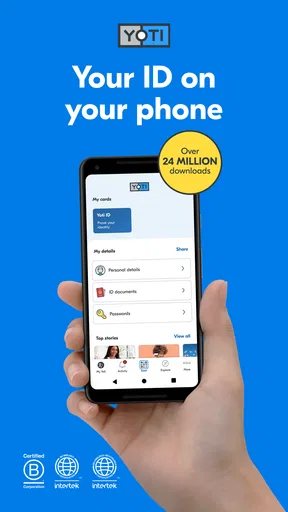
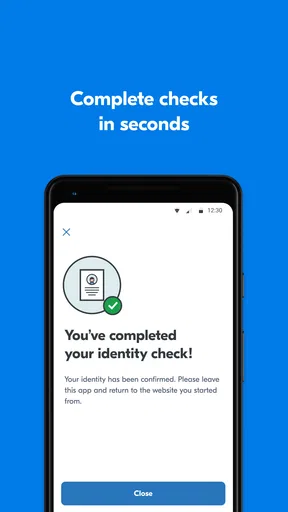
Getting started with Yoti is a breeze. Downloading the app is straightforward, and it's available on both Android and iOS, so no one's left out. The installation process is smooth, and setting it up is even easier. You’ll have to snap a selfie and scan your ID—don’t worry, the app guides you through every step. It’s almost like it’s holding your hand the whole time.
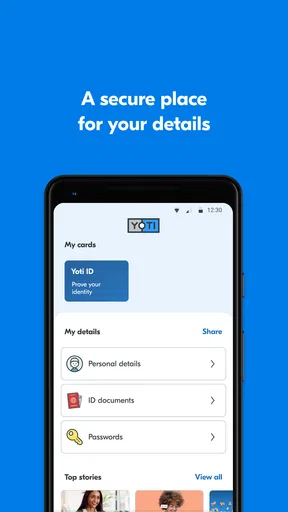
What I love is how user-friendly the interface is. Everything is laid out clearly, and even if you’re not tech-savvy, you’ll find your way around without breaking a sweat. Plus, the app design is sleek and modern, making it a pleasant experience every time you open it.
Features That Stand Out
One of the standout features of this app is its security. Yoti employs robust encryption to ensure your data is safe and sound. In a world where digital security is paramount, knowing that your personal information is protected gives you peace of mind.
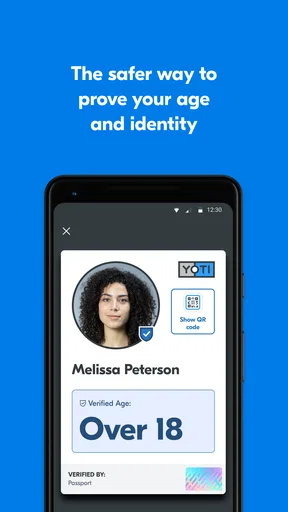
Another cool aspect is the convenience it offers. You can verify your age or identity with just a few taps on your phone. Whether you’re picking up a package, entering a club, or even participating in online transactions, Yoti makes the process seamless.
Yoti also supports easy sharing. You only share the information you want, and nothing more. It’s a breath of fresh air for anyone worried about oversharing personal data.
Real-World Applications
In everyday life, Yoti is incredibly handy. Imagine walking into a bar and needing to show your age—just pop out your phone, and you’re good to go. It's not only convenient but also quick. In scenarios like signing up for a new service or verifying your identity online, Yoti steps in as a reliable digital ID.
The app is also integrated with various businesses and organizations, making it versatile. It’s not just an ID app; it’s a tool that makes life simpler by cutting down on the hassle of carrying multiple IDs.
Privacy and Control
Privacy is a big deal these days, and Yoti takes it seriously. You’re in control of your data, and you decide who gets to see what. There’s no feeling of being watched or tracked, which is a huge relief. The app keeps everything between you and whoever you’re sharing your information with—no middlemen.
Plus, Yoti doesn’t store your personal data on their servers, which is a major plus for those concerned about privacy breaches. Your data stays on your device unless you choose to share it.
Areas for Improvement
No app is perfect, and Yoti is no exception. While it’s packed with features, it could improve in terms of wider acceptance. Not all places accept digital ID yet, which can be a bummer if you’re relying solely on the app. Expanding partnerships with more businesses and institutions would make this app even more indispensable.
Additionally, while the app is generally intuitive, there are moments where more detailed guidance could help, especially for first-time users unfamiliar with digital identity apps.
The Final Verdict
All things considered, Yoti - your digital identity offers a fresh take on how we manage our personal identification. With its strong focus on security, ease of use, and privacy, it’s definitely an app worth trying if you want to digitize and simplify your ID management. It’s a step forward in the digital age, and who knows? It might just save you from an ID crisis one day.
Ready to give it a shot? You can download it for Android or iOS and start exploring the future of digital identity today!
Who benefits most, and who may prefer another option
I can see Yoti being most useful for someone who regularly encounters identity or age checks and wants a digital option ready on their phone. It may also suit people who are comfortable completing an identity setup once, then using the app when a participating service offers it. Since it is free and rated for Everyone, the barrier to trying it is low, though the identity steps still deserve careful attention from the person setting it up.
It is less compelling if you rarely need digital verification, prefer not to place identity details in an app, or depend on a specific institution that only accepts physical documents. In those cases, a conventional wallet and the organization’s own verification method may be simpler. Likewise, someone who wants a general document organizer or password manager should not choose Yoti for that purpose: its value here is tied to digital identity, not to replacing every tool that stores personal information.
How it compares with familiar verification methods
Compared with carrying a physical ID, the main attraction is having a phone-based option available without digging through a wallet. The trade-off is that a physical document is often the more familiar fallback, while a digital check depends on the receiving organization’s process and your ability to access the app at that moment. I would carry both when the consequence of a failed check matters, such as travel, a collection appointment, or a time-sensitive visit.
Compared with entering personal details directly into each website, a digital identity workflow may feel more organized when the service offers it. But I would not assume every online request is safer or more private just because it uses an identity app. I would read the prompt, check that I recognize the organization, and consider whether I need to complete the transaction at all. The practical advantage is strongest when the request is expected and the sharing choice is understandable.
Questions worth answering before you depend on it
Will it work everywhere I need it? I would not count on that. The app can be handy where a business or organization supports its use, but acceptance is not universal, so check ahead and keep a backup ID when necessary. Can I finish setup later? The sensible approach is to complete it when you have your document, good lighting, and enough time to follow the on-screen steps without pressure.
What should I do if a sharing request feels unclear? Pause rather than approving it automatically. Read what is being requested, confirm who is asking, and use another verification method if you cannot make a comfortable decision. Should I install it just because it is free? Only if a digital identity option would solve a real problem for you; a free app still involves time and a decision about handling sensitive information.
The app is listed as having an Everyone age rating and was released on November 2, 2016. For me, those details provide useful context, but they do not replace reading the prompts or deciding whether a particular use makes sense. On Android, the stated minimum operating system is 10, so I would check device compatibility before planning to rely on it.
A measured recommendation
My overall view is positive but cautious. Yoti can make identity checks more convenient when the other party accepts it, and a clear, deliberate setup is likely to make later use less stressful. Its strongest case is as a practical companion to the ID you already carry, especially for age and identity checks that support a digital route.
I would try it if I had a specific reason to use digital identification, then test the workflow in a low-pressure situation before relying on it for something important. I would skip it if I expected it to replace every physical document or if I was not comfortable with the setup and sharing choices. That is the fairest way to judge a digital ID: not by assuming it works everywhere, but by seeing whether its real uses fit your day and keeping control of each decision along the way.
Pros
- Easy to set up and use.
- Secure verification process.
- Supports multiple document types.
- Quick identity sharing.
- Free to download and use.
Cons
- Limited to participating services.
- Requires stable internet connection.
- Occasional app crashes reported.
- Not available in all countries.
- No offline mode support.
FAQs for Yoti - your digital identity
What is Yoti and how does it work?
Yoti is a secure digital identity app that allows users to verify their identity using their smartphone. By uploading a government-issued ID and taking a selfie, Yoti creates a digital ID that can be used for online and in-person identification. The app uses advanced encryption to ensure your data is safe.
Is Yoti safe to use for storing personal information?
Yes, Yoti prioritizes user privacy and security. The app uses strong encryption to protect your information, and your data is stored securely. Yoti doesn’t have access to your data; only you can see and share it. This ensures that your personal information remains private and secure.
Which ID documents does Yoti accept for verification?
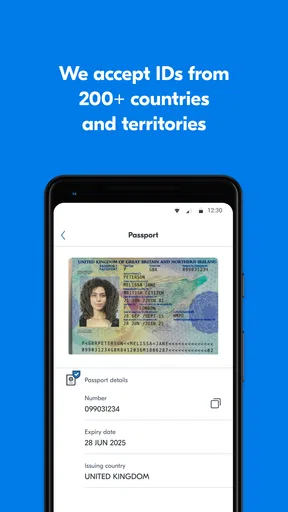
Yoti accepts a range of government-issued IDs, including passports, driving licenses, and national ID cards. The specific documents accepted may vary by country. It's important to ensure that the document you upload is valid and clear to facilitate a swift verification process.
Can I use Yoti for age verification on websites?
Yes, Yoti can be used for age verification on participating websites. By sharing your verified age attribute from your Yoti app, you can prove your age without exposing your full identity. This feature is particularly useful for accessing age-restricted content securely and privately.
Is Yoti available worldwide?
Yoti is available in many countries worldwide, but availability may vary depending on local regulations and app store policies. Before downloading, check if Yoti is supported in your country. The app is continuously expanding its reach to provide secure digital identity solutions globally.


